A website for a residential general contractor that turns searches into scheduled estimates
A residential general contractor website earns its keep by ranking for the specific project types you bid, in the towns you actually work, and by making it obvious how to request an estimate on a phone.
Ground conditions
What usually goes wrong for residential gcs
The current site lists "residential construction" as one service, so it cannot rank for additions, remodels or new builds specifically.
There is no page for each town served, so the site loses local searches to directories with thin listings.
The project gallery is a handful of unsorted photos with no context on scope or timeline.
Estimate requests land in a shared inbox that nobody checks between job sites.
The fit
What does a GetConstructionWebsite site do for residential general contractors?
It gives buyers a page for every scope you take on and every town you work in, answers them fast on a phone, and puts every enquiry straight into your CRM, while our team keeps the site current every week.
Framing suits most residential GCs: homeowners call and message at all hours, and the AI receptionist answers while you are on site. Foundation is the lean start if you already answer every call yourself.
We build for residential general contractors across the United States, including Texas, Florida, California, Arizona, North Carolina and Georgia.
The build sheet
The pages your site will carry
- Home
- About
- Services overview
- Additions
- Kitchen and bath remodels
- New home construction
- Project gallery
- One page per town served
- Request an estimate
Included tool
Estimate request form
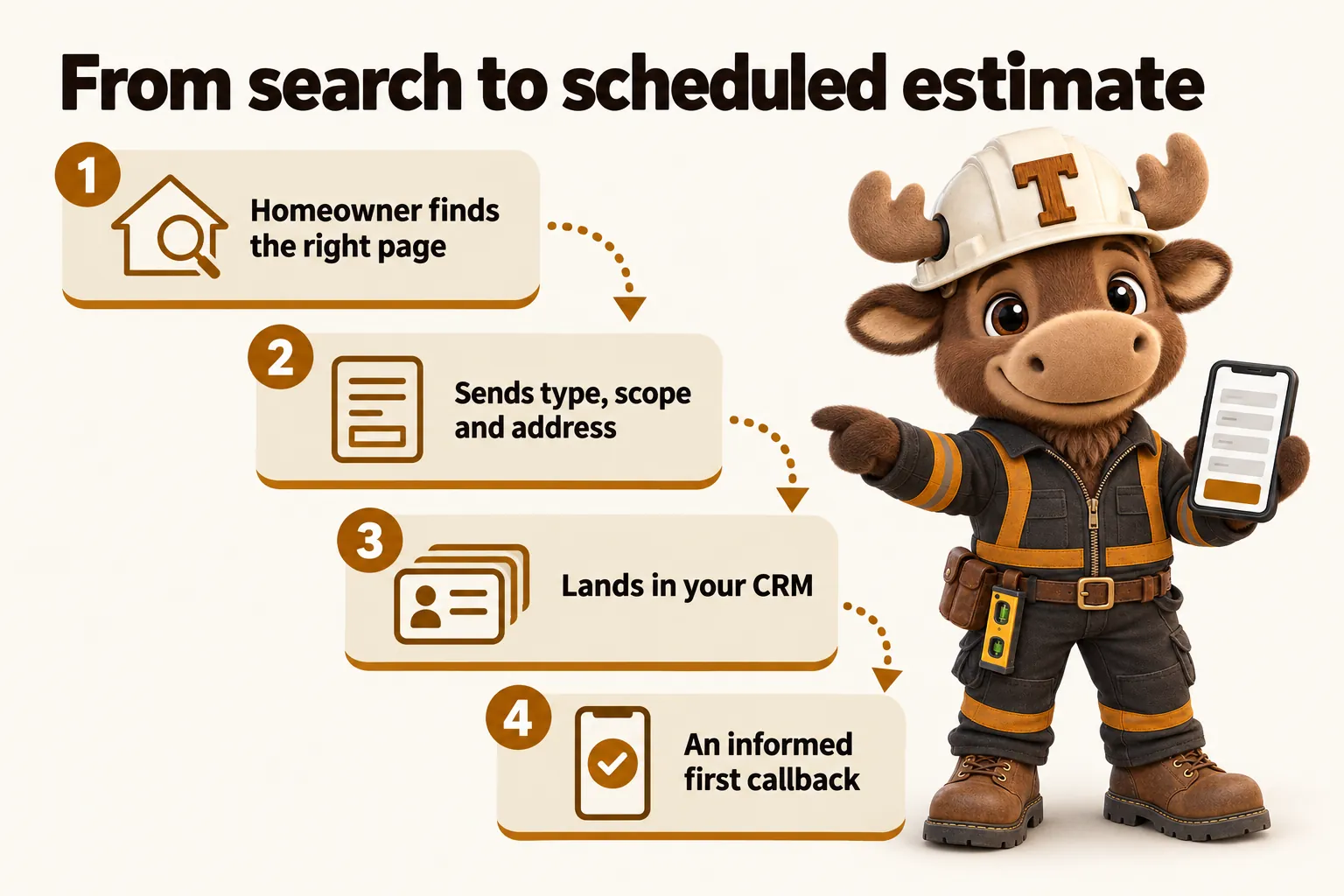
A short form that asks for project type, rough scope and address, then drops a structured enquiry into your CRM so the first callback is informed rather than a cold "tell me more."
Side by side
Before and after, for residential gcs
- Before:One "residential construction" page tries to rank for every project type at once.After:A dedicated page for additions, remodels, and new builds, each answering what that specific buyer searches.
- Before:No town-specific pages, so local searches go to directories instead.After:A page for every town served, naming neighborhoods and permitting jurisdictions.
- Before:A gallery of unsorted photos with no scope or timeline attached.After:Projects grouped by type and scale, each with a short write-up of scope and timeline.
- Before:Estimate requests sit in a shared inbox between job-site visits.After:Every request routes into your CRM the moment it is submitted, day or night.
Client reviews
Client reviews from residential gcs
The renovation inquiries preparation page does one job and does it well. It tells people what to have ready before we speak, without demanding everything up front. It has replaced the hurried afternoon rewrite of the same instructions.
Sami OdehBusiness coordinator, Insurance repair works contractorSavannah, GA · Foundation plan Preparation guide and inquiry support for renovation inquiries
The old renovation inquiries PDF made sense on a printer and nowhere else. Staff now link to the precise section instead of wishing callers luck with a long document. Callers have stopped apologizing for not being able to read it.
Clifford CranfordSite administrator, Kitchen extension builderAlbuquerque, NM · Foundation plan Structured reference pages for renovation inquiries
The idea that visitors could sort themselves before writing seemed obvious only in hindsight. Visitors choose what they are doing first, and each choice leads to a fit-for-purpose form. Our inbox finally reads like the conversations it actually contains.
Vijay GhoshOffice manager, Extension and loft conversion builderBurlington, VT · Foundation plan Inquiry categories and guided navigation for renovation inquiries
Reviews from clients, published with their permission.
Case studies from residential gcs
All 20 case studiesThree plans
Three ways to run it
- FoundationThe website, fully managedLive in 7 days, 2 articles a week.
- FramingEverything, plus the AI EngineLive in 10 days, 2 articles a week.
- Finish OutEverything, plus the Content EngineLive in 15 days, 3 articles a week.
Plan by plan
Every feature for residential gcs, plan by plan
Every feature below is described in plain terms on the features page. The $697 build fee is the same on every plan and is invoiced only after launch.
| Feature | FoundationThe website, fully managed | FramingEverything, plus the AI Engine | Finish OutEverything, plus the Content Engine |
|---|---|---|---|
| Monthly fee | $127 | $267 + AI usage | $647 + AI usage |
| Live in | 7 days | 10 days | 15 days |
| Researched articles a week | 2, 2,500 to 3,200 words | 2, 2,500 to 3,200 words | 3, 2,500 to 3,200 words |
| Revisions a month | 5 included, then $20 each | 5 included, then $20 each | 5 included, then $20 each |
| Pages that open instantly | Included | Included | Included |
| A page for every service you offer | Included | Included | Included |
| A page for every town you build in | Included | Included | Included |
| A project gallery built to win the next bid | Included | Included | Included |
| Enquiries routed straight into your CRM | Included | Included | Included |
| The AI Engine: an AI receptionist for missed calls | Not on this plan | Included | Included |
| AI chat on your website | Not on this plan | Included | Included |
| Text message replies, with carrier registration handled | Not on this plan | Included | Included |
| SEO, AEO and GEO, with schema on every page | Included | Included | Included |
| Researched articles, on a schedule | Included | Included | Included |
| The Content Engine | Not on this plan | Not on this plan | Included |
| Weekly detail updates | Included | Included | Included |
| A client portal for revisions and support | Included | Included | Included |
| Managed Cloudflare hosting | Included | Included | Included |
| Moving from your current site without losing rankings | Included | Included | Included |
| Your domain and your content stay yours | Included | Included | Included |
| Compliance pages that ship with the site | Included | Included | Included |
After you order
What happens after you order
- Step 1 · Day 0
Start the plan
Pay the first month. The $697 build fee is not charged yet.
- Step 2 · Same day
Onboarding form
Services, towns served, brand, domain and CRM. About 15 minutes; gaps can follow later.
- Step 3 · Launch clock starts
One onboarding call
We settle scope and service area and agree the launch date. The launch clock starts here.
- Step 4 · 7 to 15 days by plan
Design and build
Every page written and coded, forms wired to your CRM, 90+ PageSpeed checked, old URLs mapped with 301s.
- Step 5 · Launch day
You approve, it launches
You review the site, we launch it, and only then is the $697 build fee invoiced.
- Step 6 · Every week after
Weekly updates
Projects, pages and articles added every week. 5 revisions a month, each within 2 to 5 working days.
Questions from residential general contractors
Do you write about specific project types or just "residential construction"?
Specific project types. Additions, kitchen and bath remodels, and new home construction each get their own page, because a homeowner searching for one of those is a different buyer than someone searching for the others, and a search engine treats them differently too.
Can the site handle a service area that spans several counties?
Yes. Each town or county gets its own page, added as your service area grows, rather than one page trying to claim a whole region at once.
We do not have professional project photos yet. Is that a problem?
No. We build the gallery with what you have and add better photography as projects finish, as part of the included weekly updates. A site with a handful of well-described projects still ranks better than a site with none.
How fast does an estimate request reach us?
Immediately. The form routes into your CRM by direct API, Zapier or Make as soon as it is submitted, so the request is waiting whether you check it from the office or from a truck.
Which plan suits a residential general contractor?
Most residential GCs pick Framing, because homeowners call and message evenings and weekends and the AI Engine answers, takes the details and books the estimate visit. Foundation covers the full website, pages and articles if you already answer every call yourself.
Do you build for residential contractors in my state?
Yes, across the United States, including busy residential markets such as Texas, Florida, California, Arizona, North Carolina and Georgia. Your town pages name the places and permitting jurisdictions you actually work in.
Can homeowners book an estimate visit straight from the site?
Yes. On Framing and Finish Out the chat agent and AI receptionist can book the visit onto your calendar. On every plan the estimate form drops the request into your CRM immediately.
Will the site show our license and insurance?
Yes, in a consistent place on every page. Some states require the license number on advertising, websites included, so we treat it as standard.
See it built for residential gcs
A live walkthrough, on your screen, of the site you would get. Plans from $127 a month, $697 build fee invoiced after launch.
Book a demo